ProtectReady
Someone is waiting for you to get home.
Protect is crash detection (beta), your emergency contacts and your medical info, working together. It is on by default, and it is free.


- Watching From
- 20 mph
- Countdown
- 30 s
- Contacts
- Up to 5
- Black Box
- 10 Hz
- Price
- Free
How it works
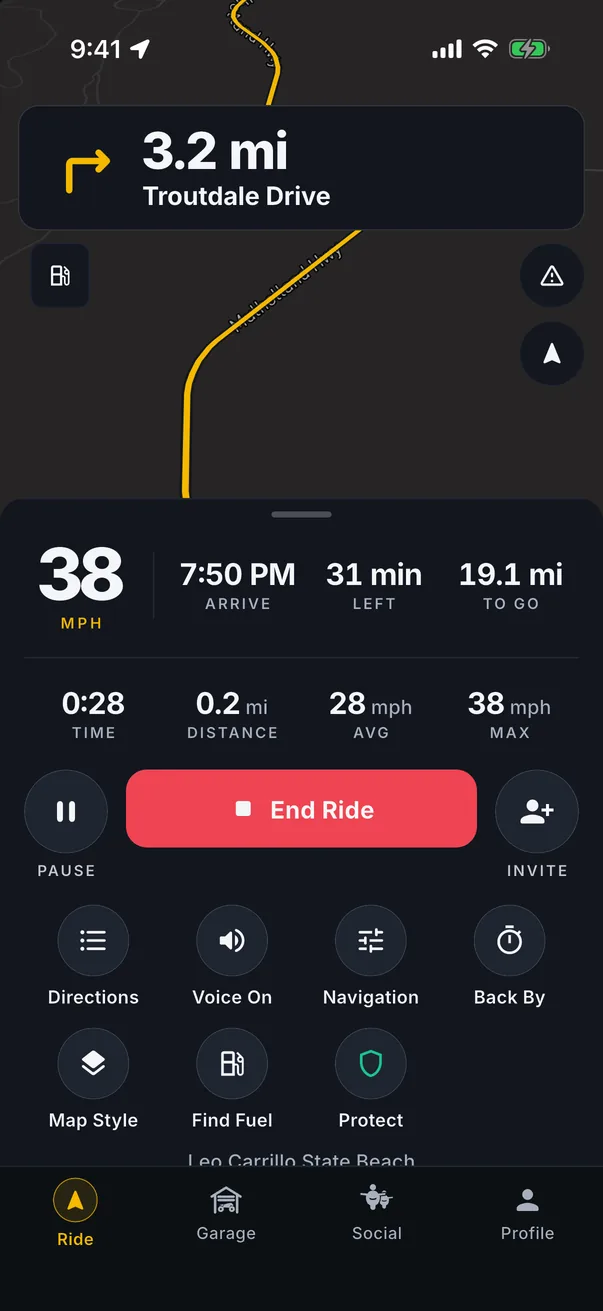
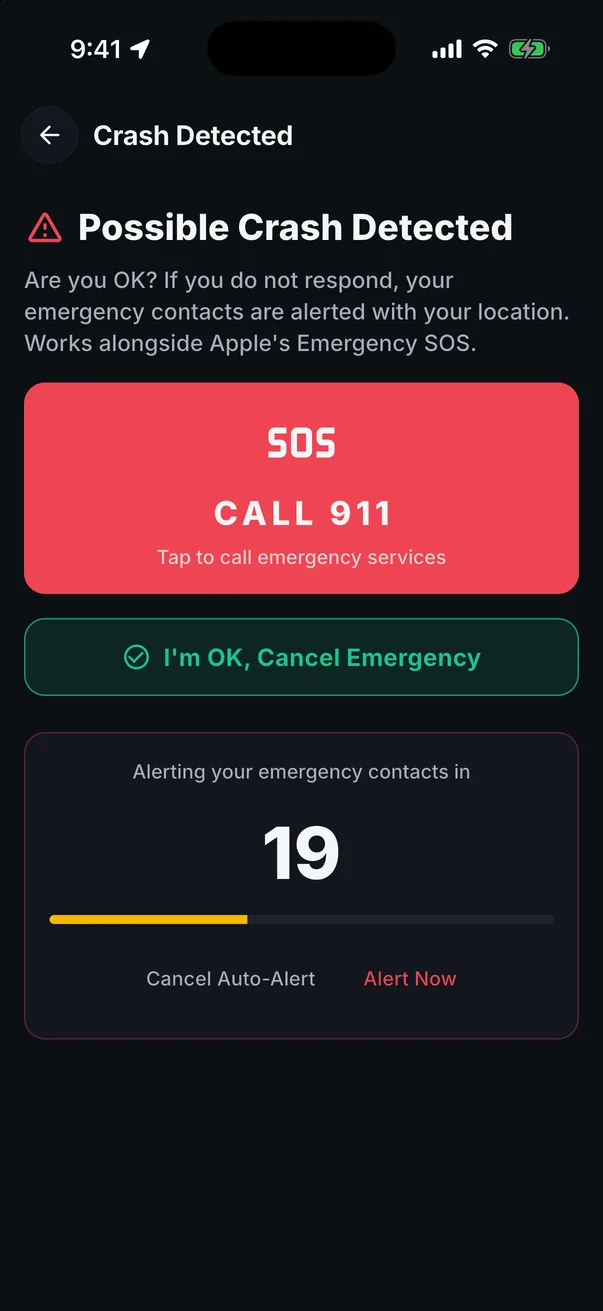
Once you have been riding above 20 mph, Protect watches your phone motion sensors and GPS for a hard impact, a tumble or slide, or an abrupt stop. If it sees one, it starts a countdown you can cancel (30 seconds by default, adjustable from 10 to 60). If you do not cancel, MotoRev alerts your emergency contacts with your location. Crash detection is in beta.
-
T+0.0 sImpact Detected
A hard impact, a tumble or an abrupt stop
Only after you have been riding above 20 mph, from the phone motion sensors and GPS.
-
0 to 30 sCountdown
You can cancel it
30 seconds by default, adjustable from 10 to 60. If you are fine, cancel it and nothing is sent.
-
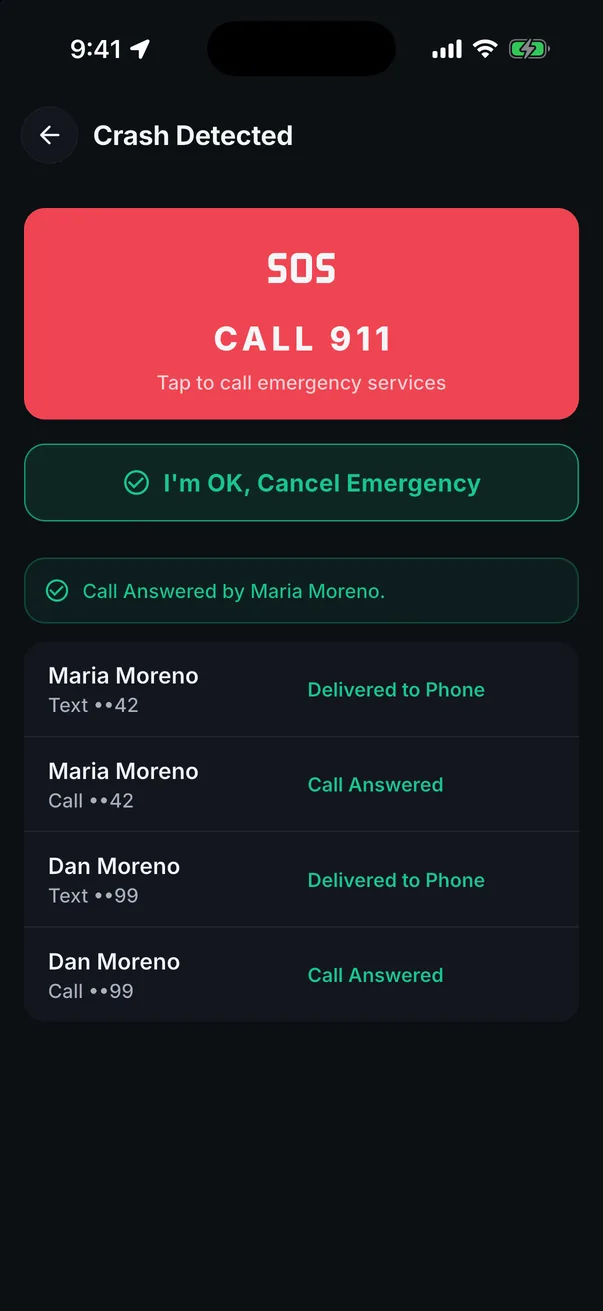
T+30 sContacts Alerted
Trusted contacts
Add up to five people. Each one gets a text, a phone call and an email, depending on what you have on file for them, with your location and a link to let you know they saw it. Failed sends are retried, and delivery is logged so you can see what happened afterwards.
- TextLocation and a link
- CallRetried if it fails
- EmailDelivery logged
-
-30 s to +10 sBlack Box Saved
Black Box
Every crash alert carries a Black Box: motion data ten times a second and GPS from 30 seconds before the impact to 10 seconds after. It is saved in Incident History so you can see what the phone recorded. If your phone cannot reach MotoRev, Text Contacts sends the alert from your own messages app.
Incident HistoryExample Recording Motion GPS Speed -
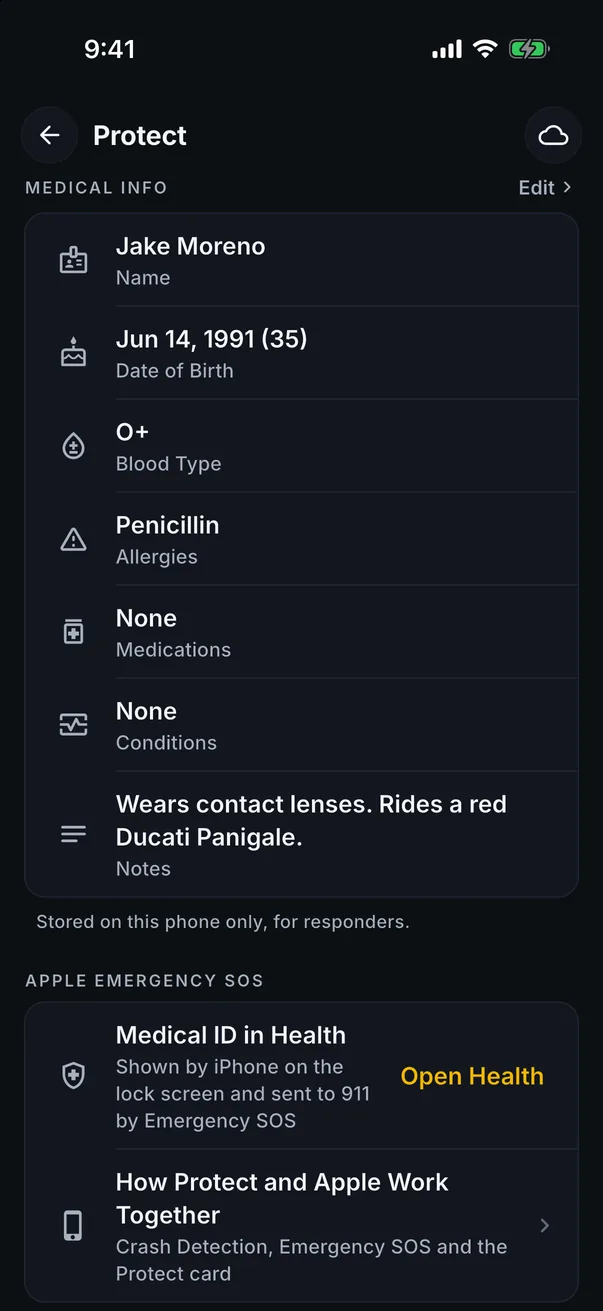
Any TimeOn the Lock Screen
Medical info on the lock screen
Blood type, allergies, medications and who to call, available to a first responder without unlocking the phone.
Back By
Heading out alone? Tell MotoRev when you will be back, anywhere from 15 minutes to 24 hours. Ten minutes before, it reminds you to check in or extend. If you do not, your emergency contacts get a text, a call, an email and an in-app alert. Free in the app and on the web.
Share Trip Progress
Send a private motorev.app/trip link to the person waiting on you. They see your ride move on a map, no account needed, for up to 24 hours. Free for every rider.
Riding Circle
The few riders who can see where you are. It is private and mutual, and following someone never shares your location. Share Always, Only While Riding or Never, add a rider in person with a Circle Code, set up to 10 Privacy Zones around home and work, and get a notice when someone in your Circle arrives.
What it cannot do
Protect cannot detect every crash and it does not replace calling 911. It works best with the phone mounted or in a jacket pocket and location set to Always.
Crash Detection Beta
Validation
- Field Validation Runs
- 0
- False Alerts
- 0%
- Missed Impacts
- 0%
Crash detection is in beta. We publish how it performs in controlled rig tests and on real rides, counted from the validation program built into the app. Field validation runs: 0. False alerts: 0 percent. Missed impacts: 0 percent.
A false alert is a countdown that started when nothing happened. A missed impact is a staged impact the detector did not catch. The Beta label comes off when these rates meet the bar set out in our validation protocol, and not before.